
CoraDB built-in app
CoraDB WebAdmin
Administration made easy.
Your everyday administration tool for CoraDB, running in any modern browser.
Every administration task is a form that explains itself, so there are no commands to remember.
It is built on the CoraDB Administration MCP Server, so the same operations are available to any MCP-enabled tool.
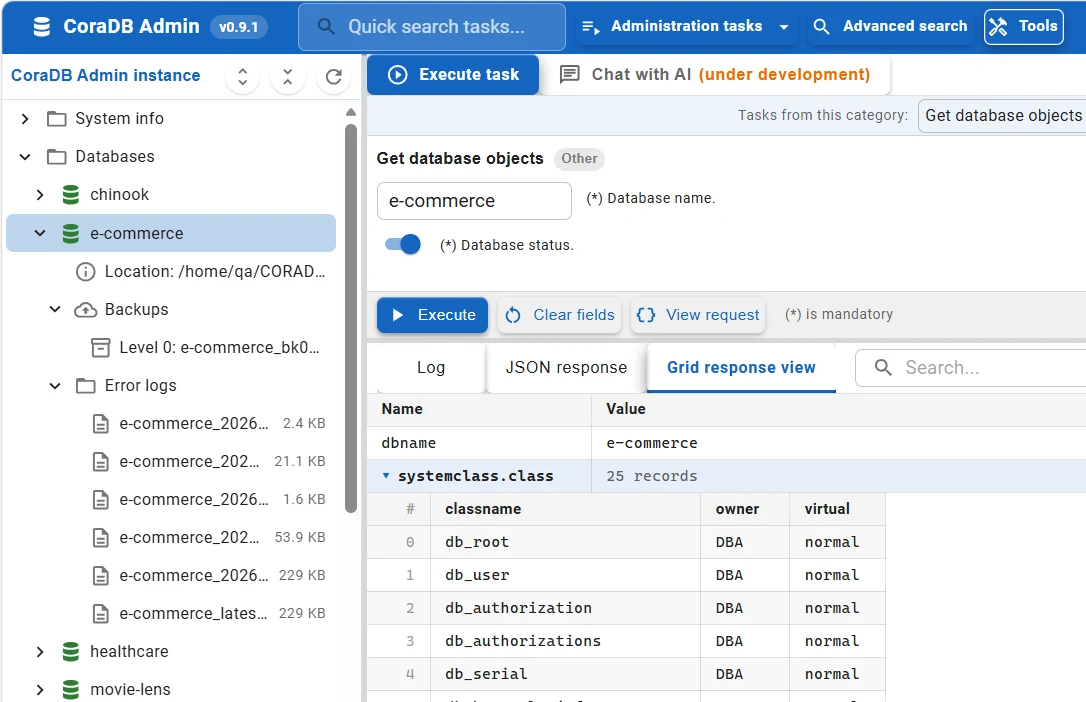
What you can do with WebAdmin
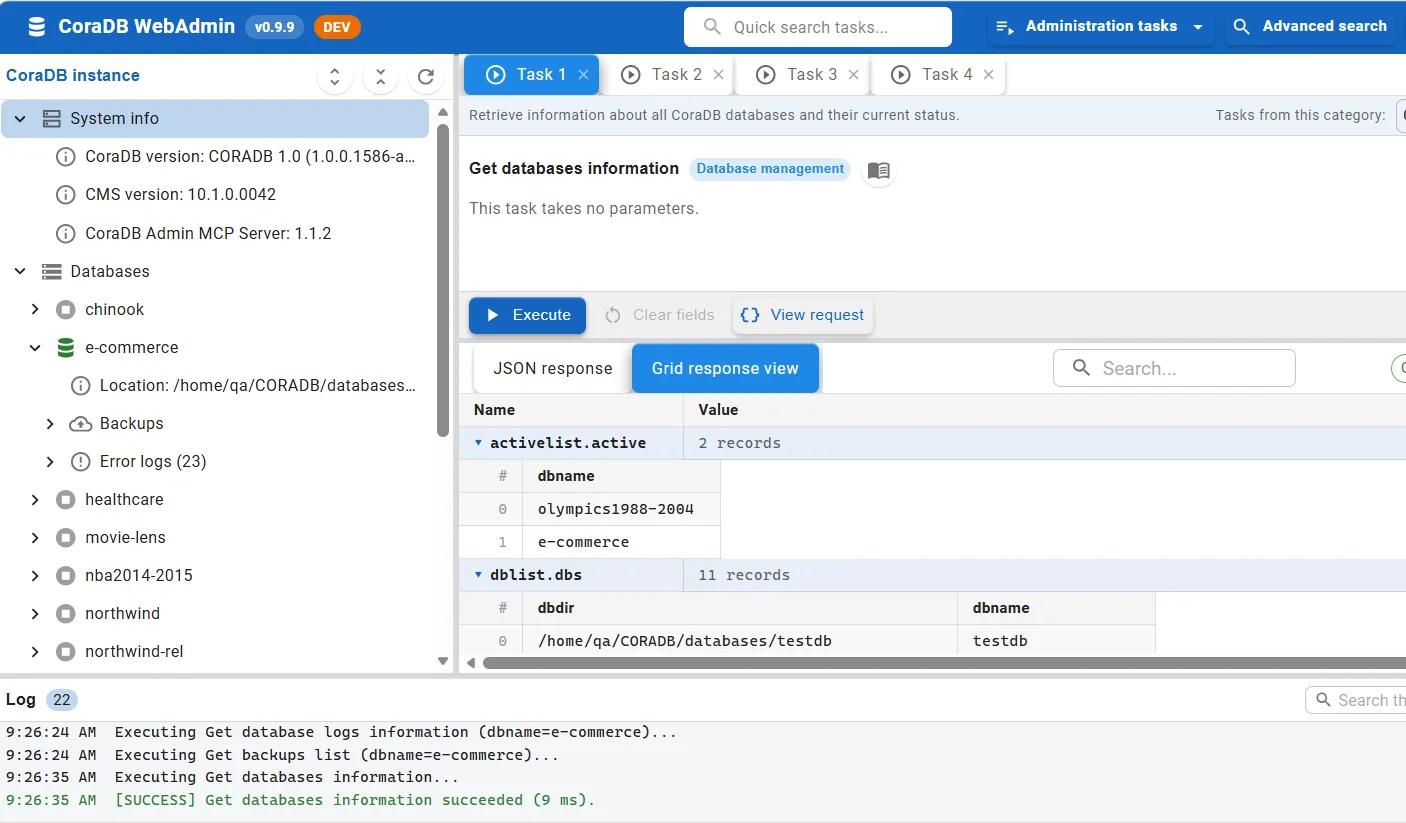
One map of your CoraDB system
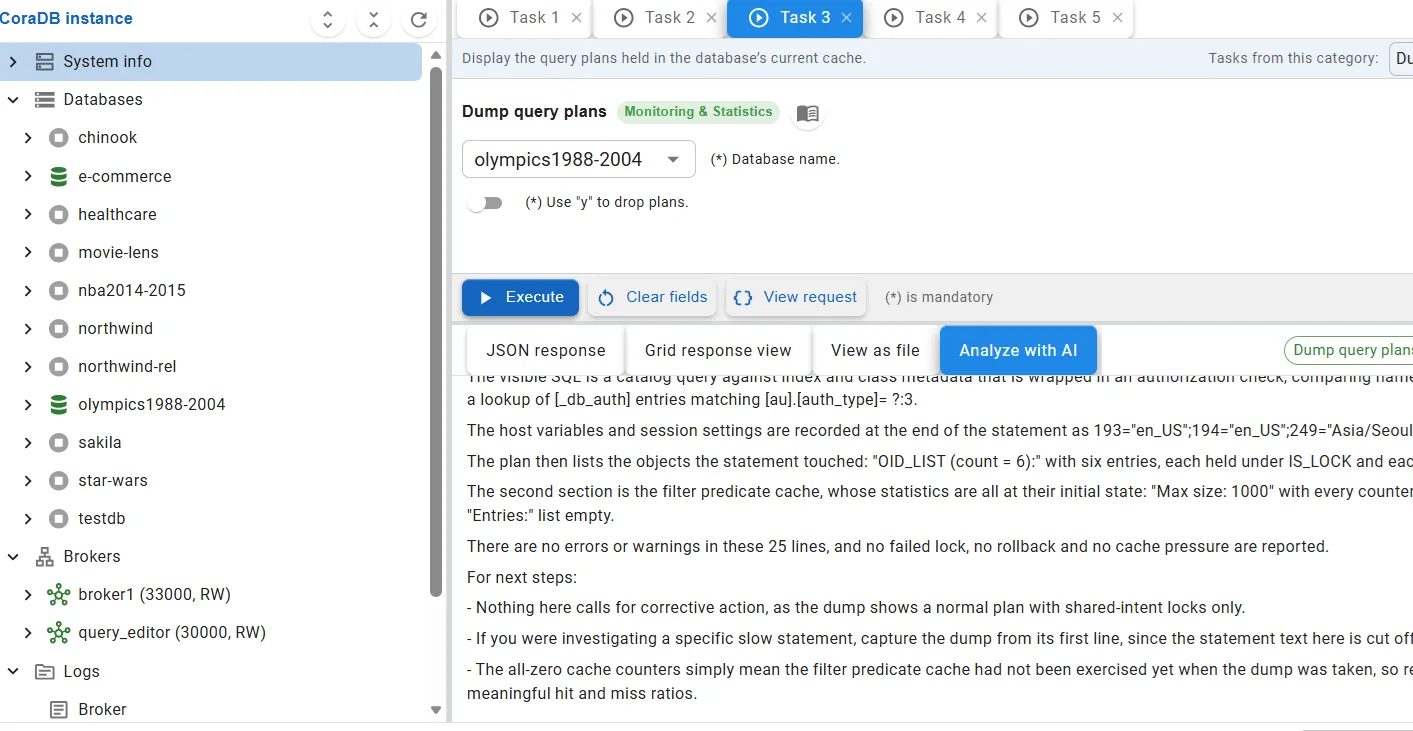
The tree on the left holds system information, databases, backups, brokers and logs.
Select an object and the next task is pre-filled with it.
Results come back as a readable grid or as JSON, and a running log records what was done.
- Tasks open in tabs, side by side
- Grid and JSON response views
- Log with filter and search
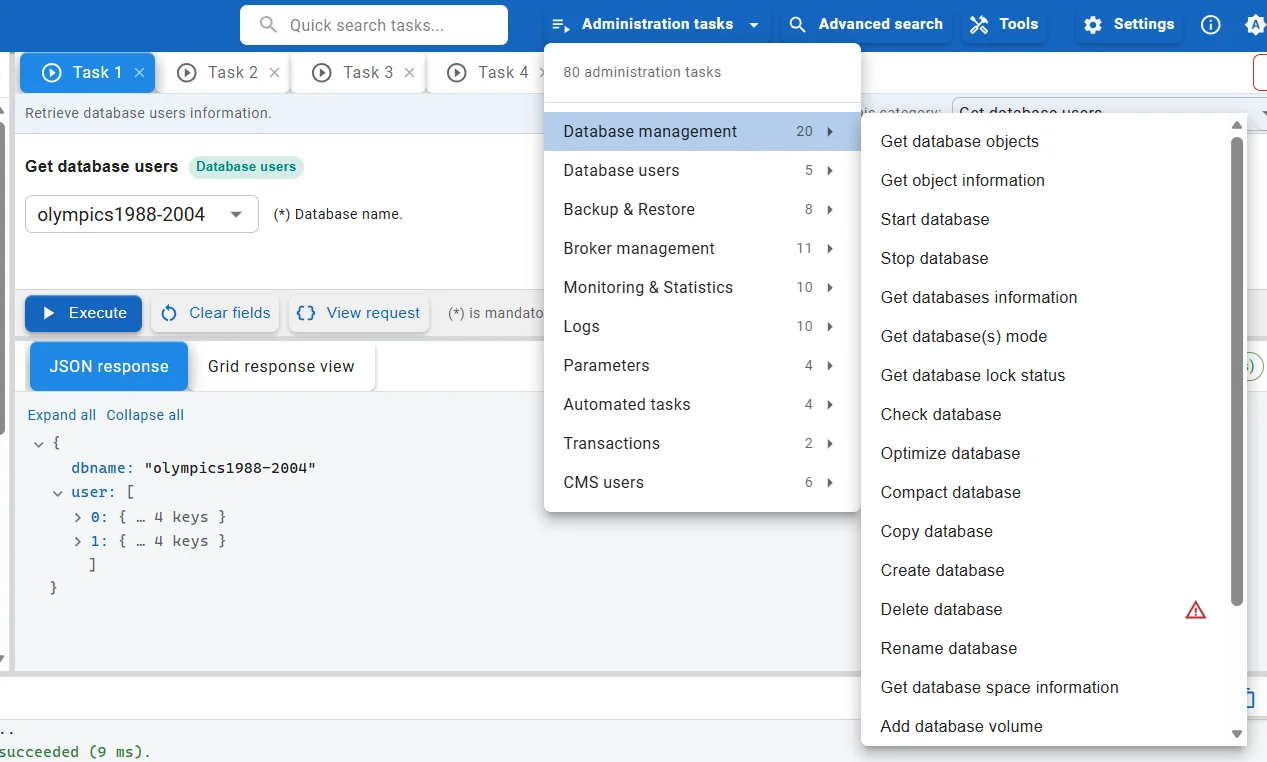
Every task, organized
The Administration tasks menu groups the tasks by category: database management, database users, backup and restore, brokers, monitoring and statistics, logs, parameters, automated tasks, transactions and CMS users.
- Name and description for every task
- Destructive tasks marked with a warning
- Quick task search in the header
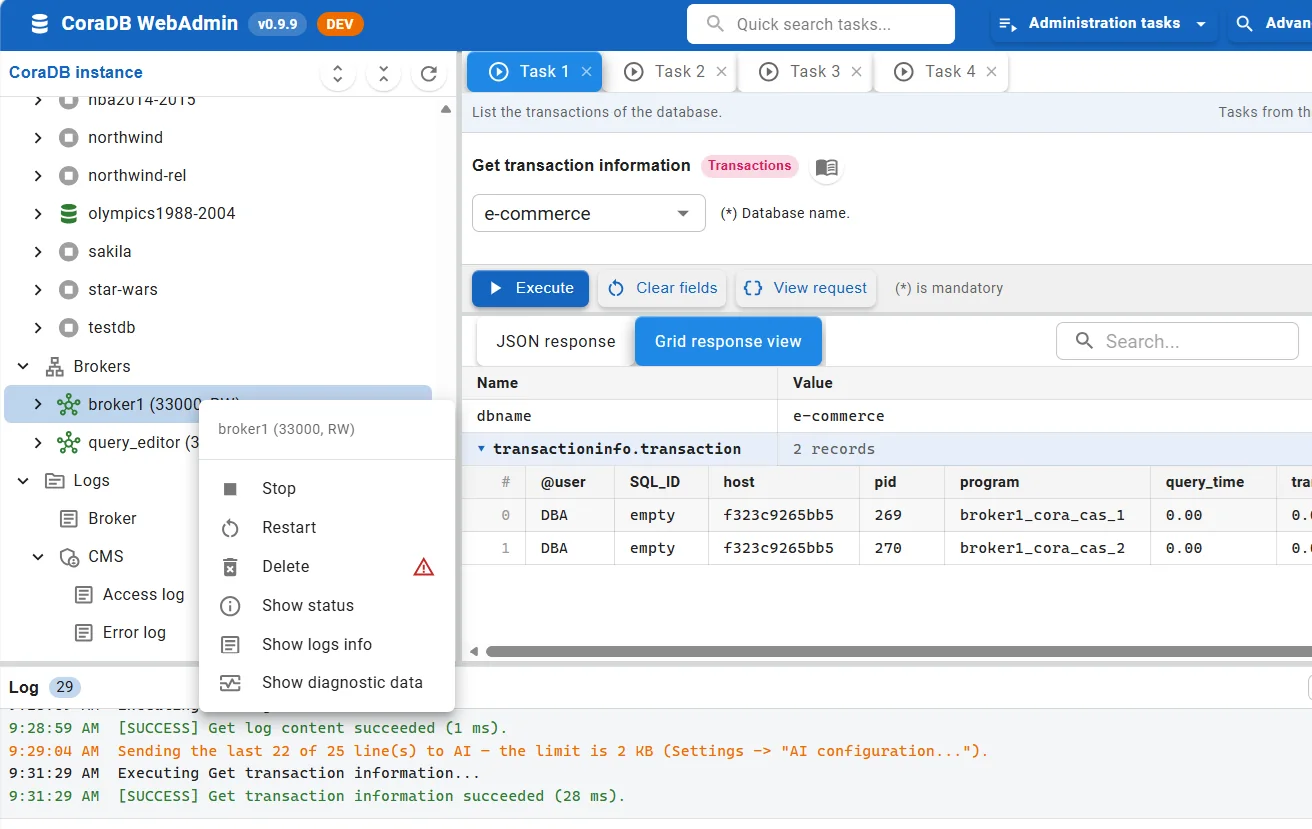
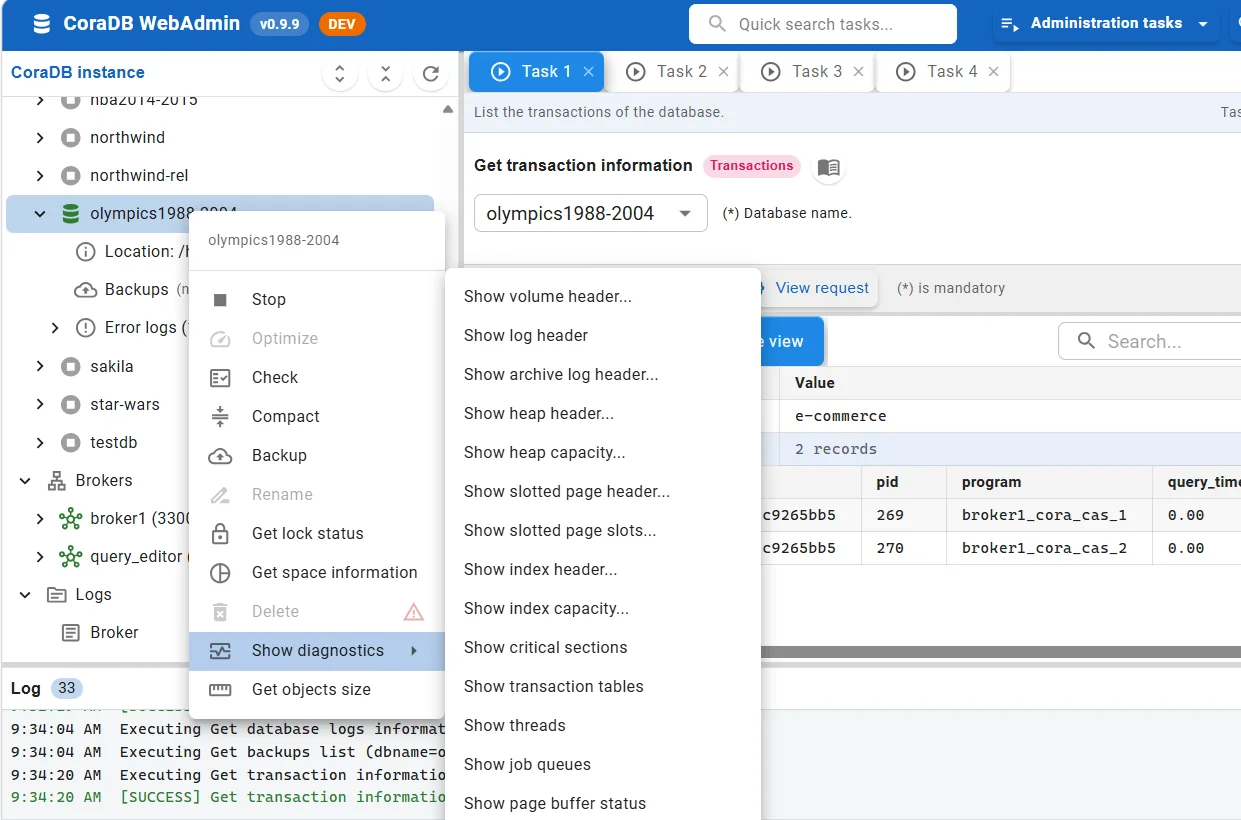
Right-click what you see
Right-click a broker, database or log to get the tasks that apply to it: stop, restart, check, compact, back up, show status or diagnostics, get lock status or space information.
- Context menus per object type
- Show diagnostics and Get objects size
- View the content of a log file
Health checks and diagnostics
Run diagnostics against a database on request: volume, log and heap headers, index capacity, critical sections, transaction tables, threads, job queues and page buffer status, plus the storage used by each object.
- Diagnostics submenu on every database
- Lock status and space information
- Storage per object
Search across everything
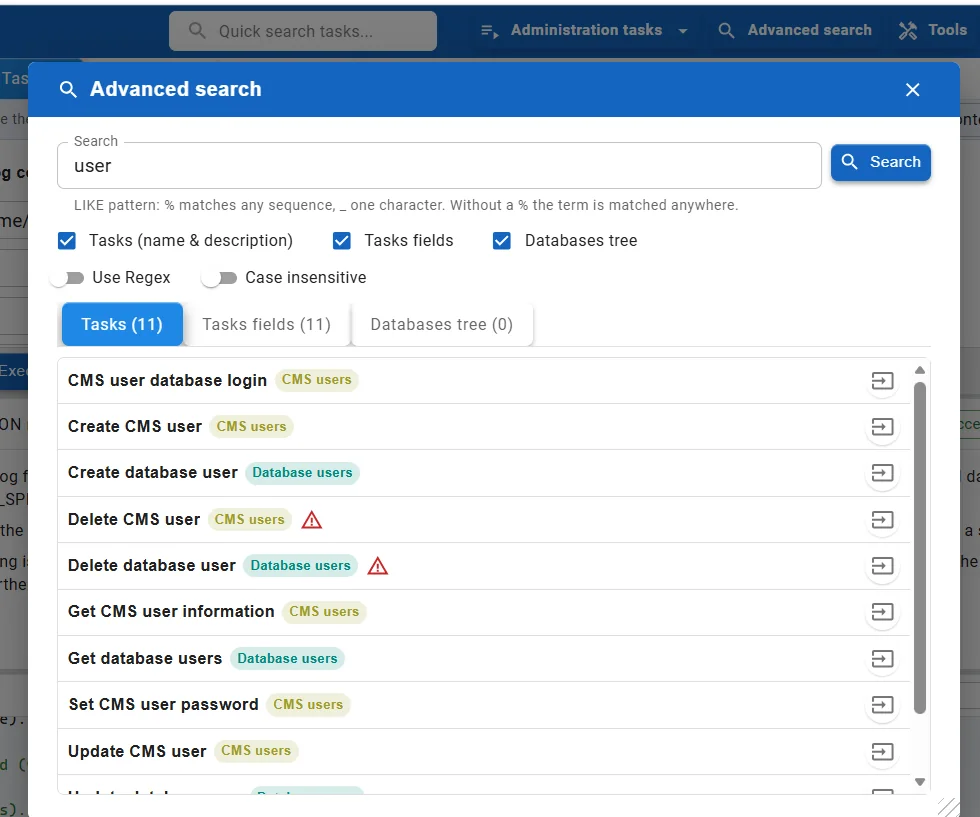
One search covers task names, task parameters and every object in the installation.
Use a LIKE pattern or a regular expression, and jump straight to the task or the tree node you found.
- Tasks, task fields and the database tree at once
- LIKE patterns or regex, case-insensitive option
- Go to the result in one click
AI that advises; the administrator decides
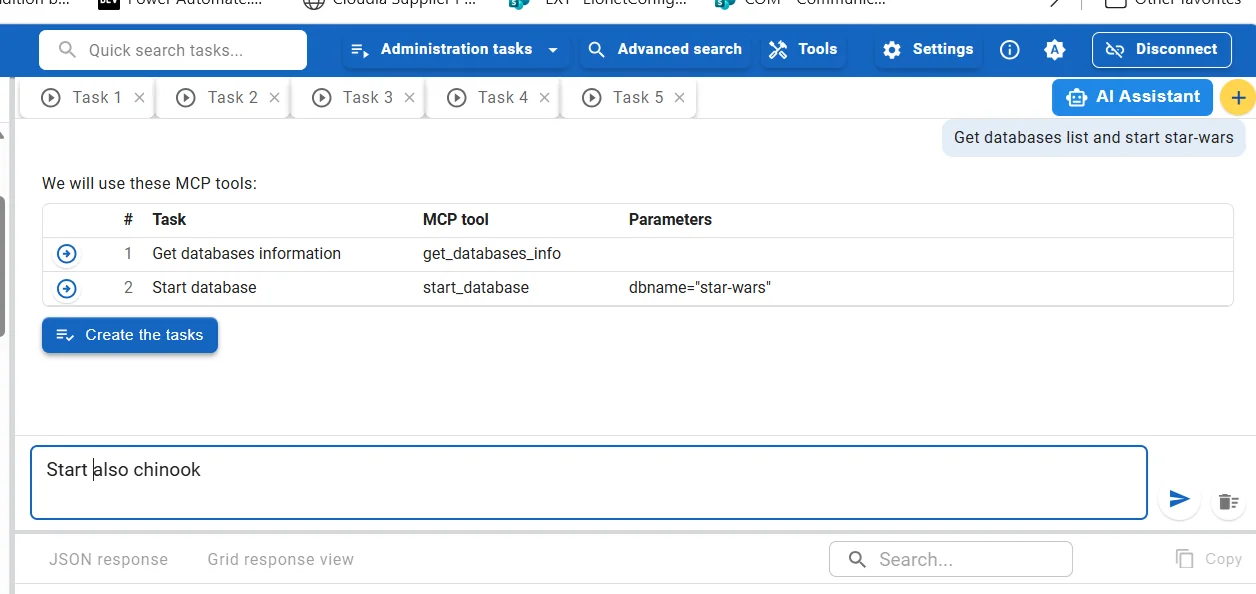
Describe what you want in plain language and the assistant prepares the matching administration tasks, filled in for you to review.
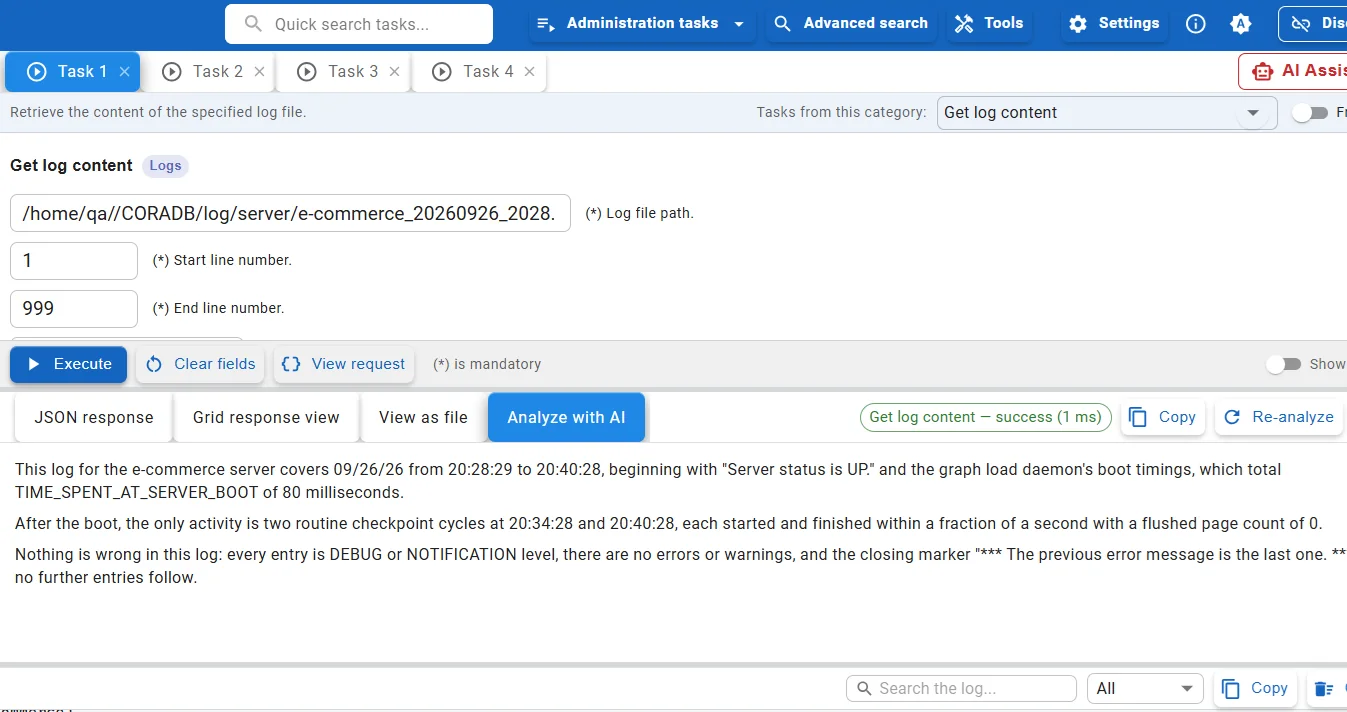
Open a log or a query-plan dump and have it explained in ordinary sentences.
Nothing runs on an AI decision: only a person can execute a task.
Your AI credentials stay yours, usage and estimated cost are tracked, and the application works fully without AI.
- Chat with AI: a sentence becomes a list of tasks to review
- Analyze with AI: logs and dumps explained
- Your choice of AI provider, or none
App manual
The WebAdmin manual explains how to use the app.
Each task in the app also links to its page in the CoraDB administration reference.
Getting access
The online version of CoraDB WebAdmin at webadmin.coradb.ai is available on request.
To get access, ask for it at contact@coradb.ai.
- Write to contact@coradb.ai with your name, your company and what you would like to try.
- We reply with your access details.
- Open the app in your browser and connect to your CoraDB database, or to one of the sample databases.