
CoraDB built-in app
CoraDB WebSQL
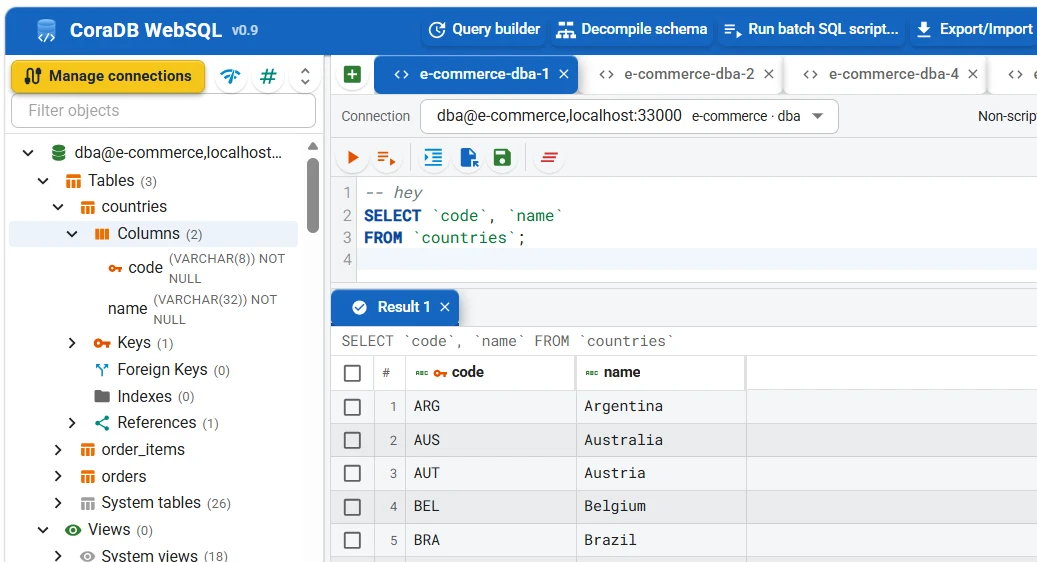
What you can do with WebSQL
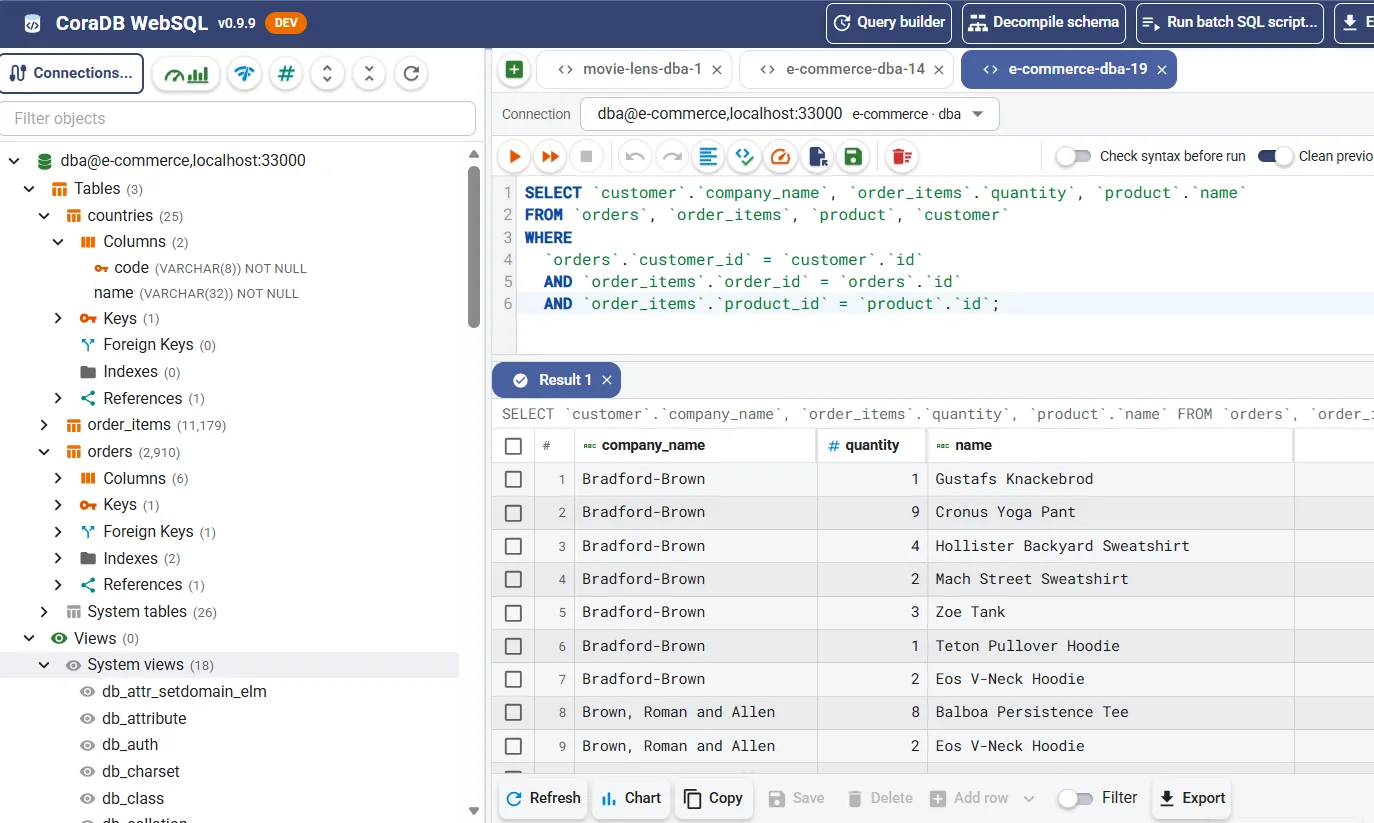
Browse, query, edit
The tree loads tables, nodes, edges, views and the system catalog on demand, with columns, keys, indexes and references.
Write SQL in a syntax-highlighting, multi-tab editor and page through results held in a server-side cursor.
- Updatable grid: edit values, add and delete rows on single-table results
- Per-column filters, sorting and auto-sized columns
- Ctrl+Enter runs the statement under the caret
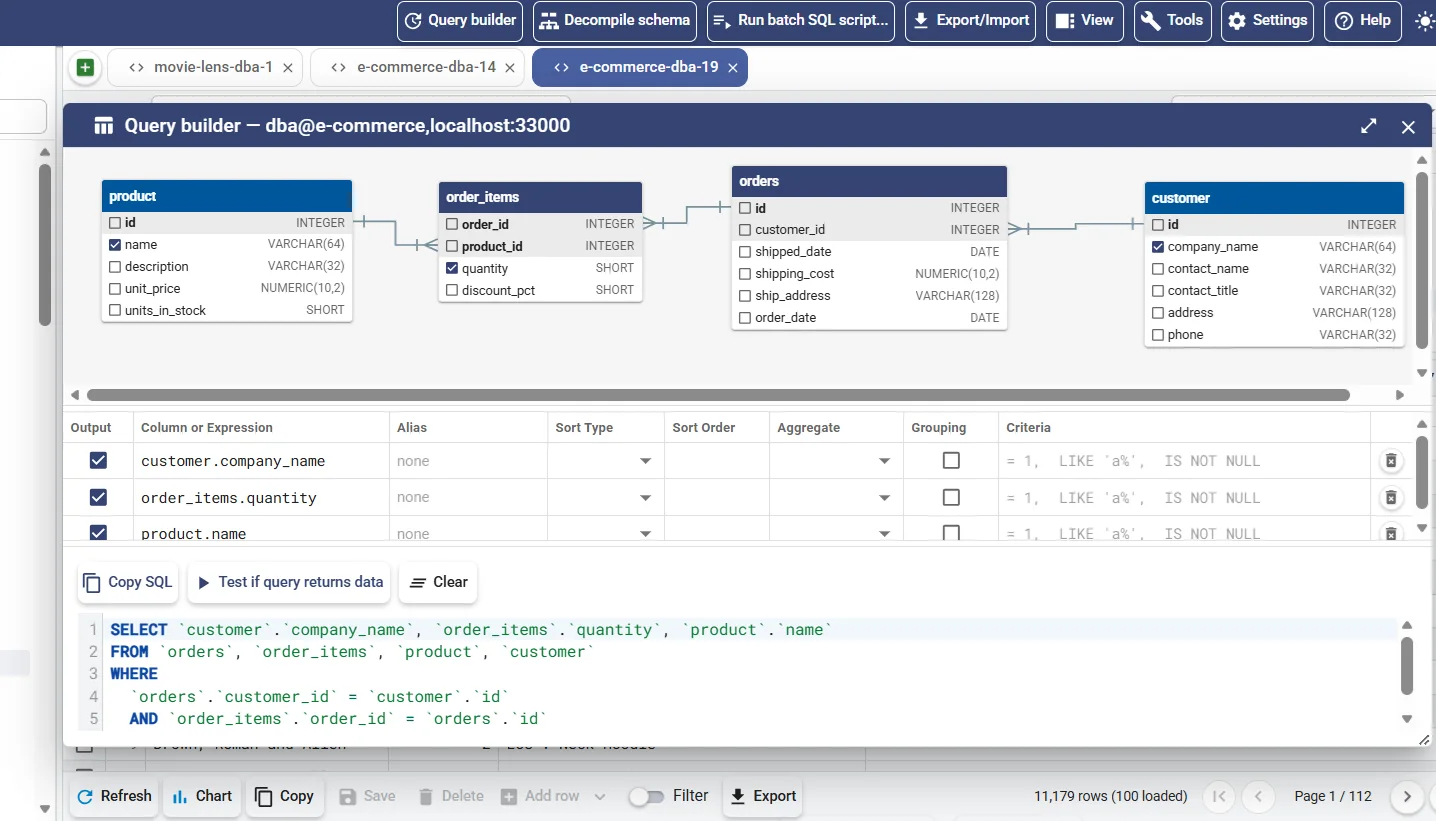
Visual query builder
Pick tables from a live diagram of the schema, tick the columns you want and set criteria, sort and grouping.
WebSQL writes the SQL, and can test that the query returns data before you use it.
- Joins drawn from the foreign keys
- Aliases, aggregates, grouping and criteria per column
- Copy the generated SQL or send it to the editor
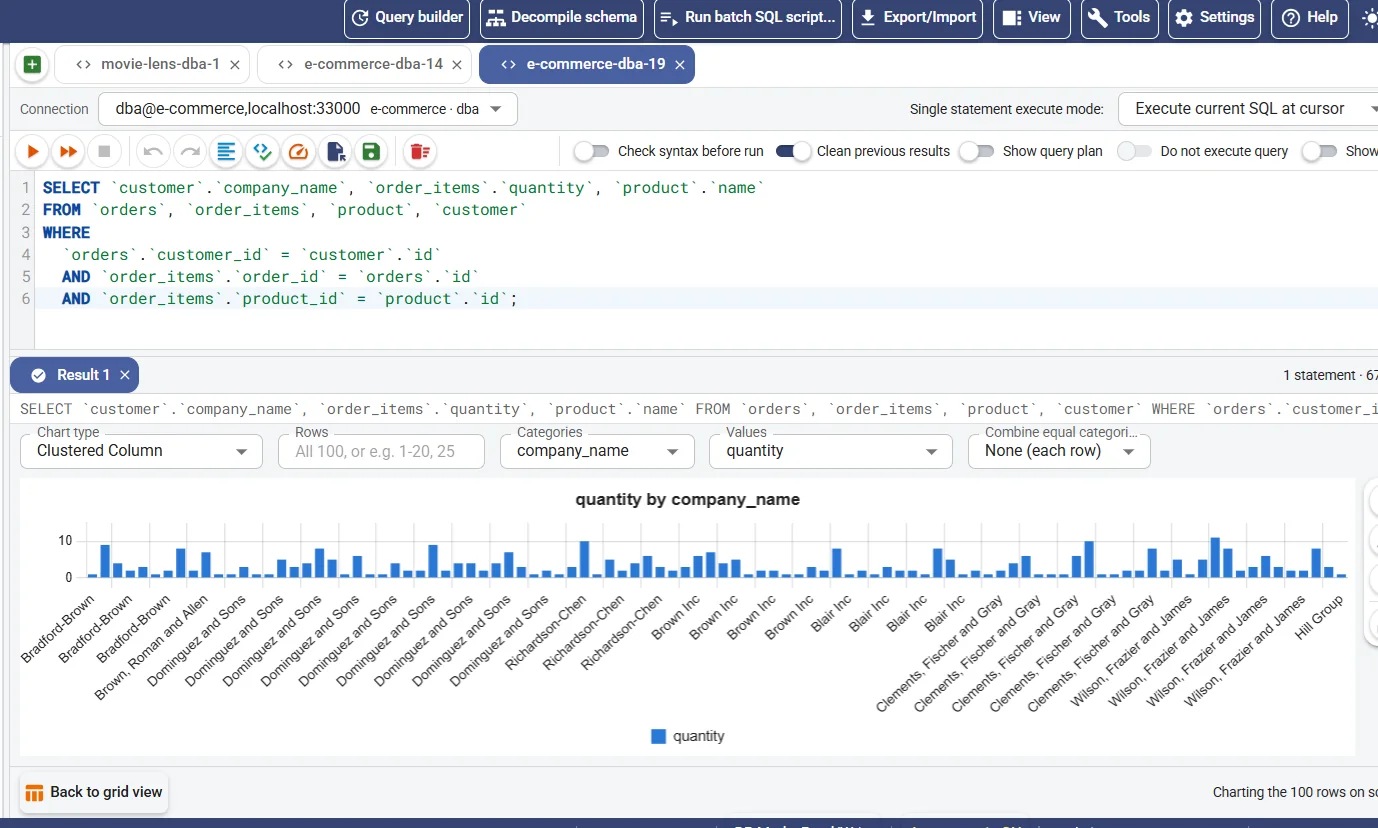
From a result to a chart
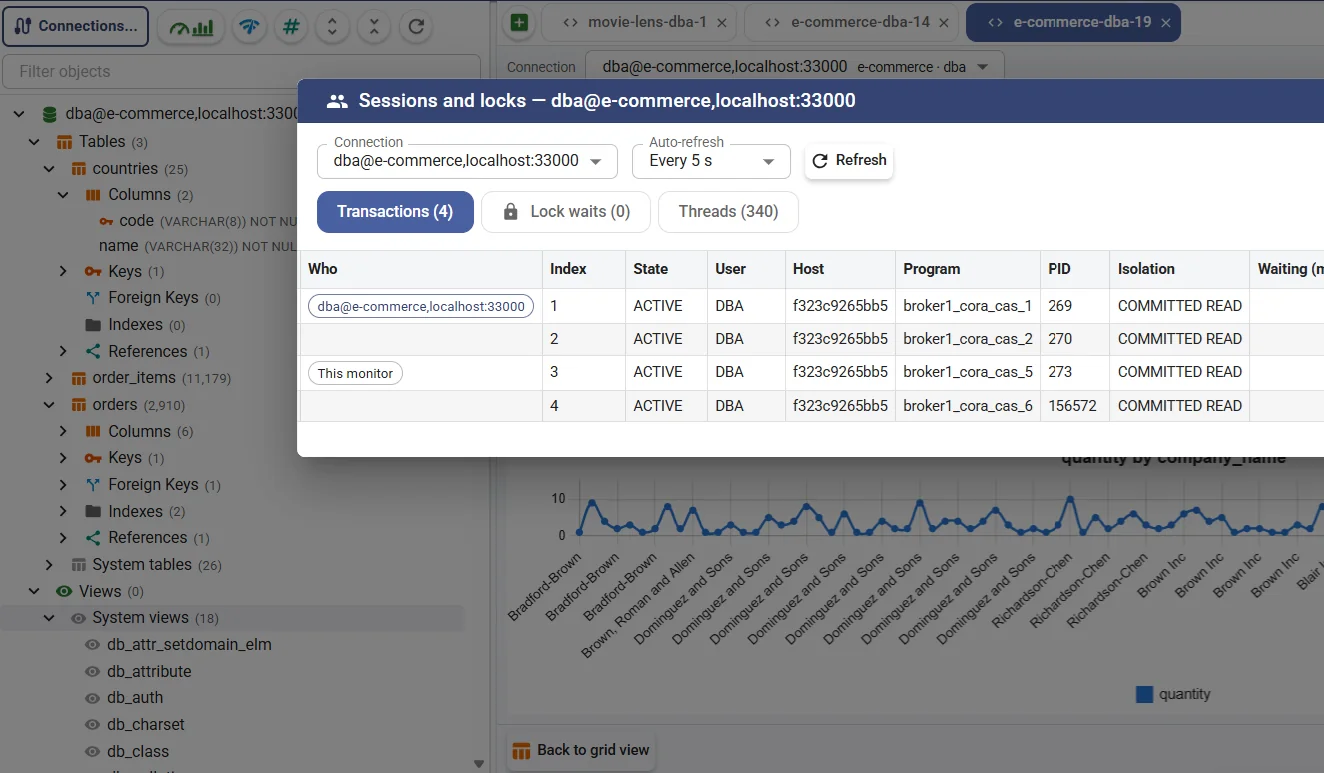
Turn any result set into a chart without leaving the editor: choose the chart type, the categories and the values, and switch back to the grid at any time.
- Column, clustered and other chart types
- Pick rows, categories and value columns
- Charts are built from the rows already loaded
See what the engine did
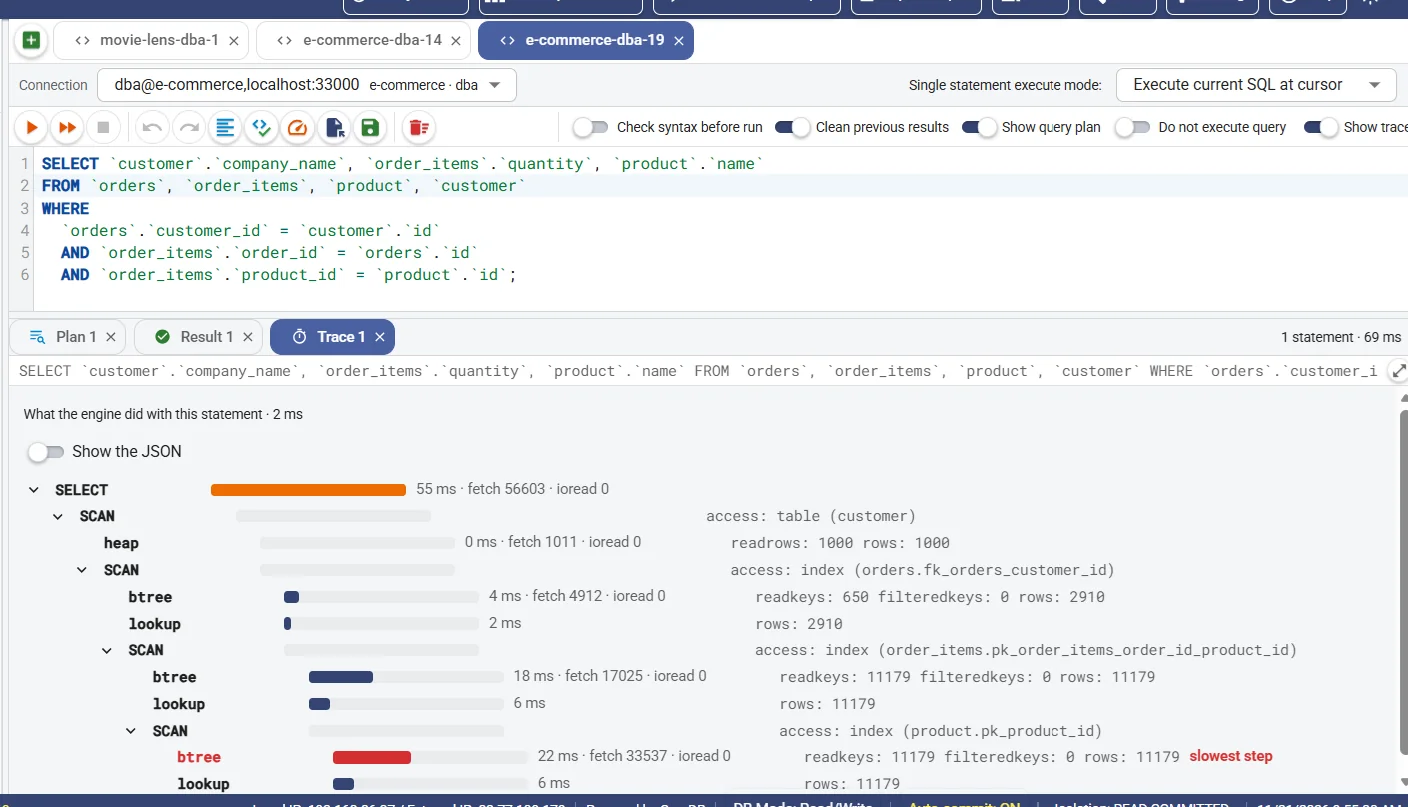
Show the query plan or a step-by-step execution trace for a statement.
The trace times every scan, lookup and join, shows rows read through each index, and marks the slowest step.
- Query plan and execution trace in their own result tabs
- Timings, fetches and rows per step
- Slowest step highlighted
Everything one right-click away
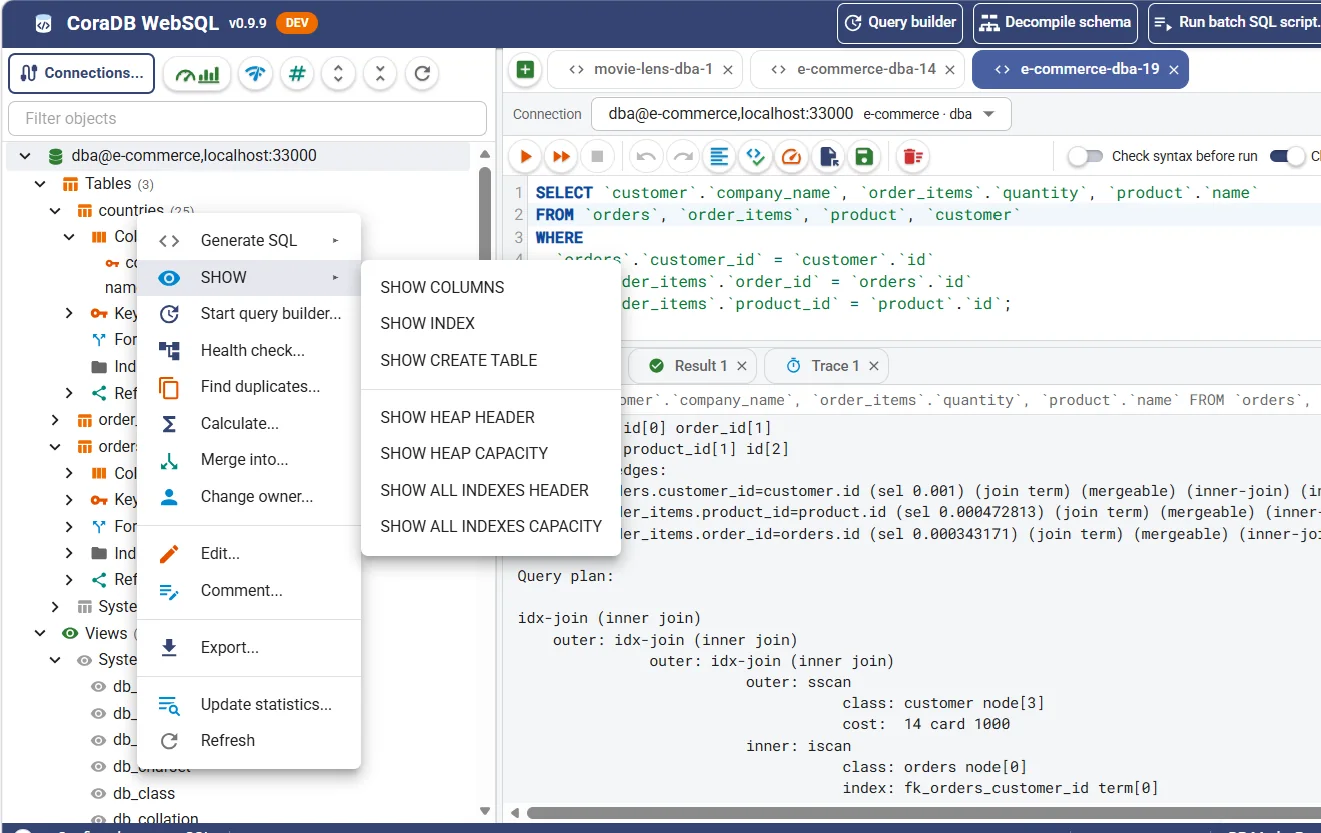
Right-click a table, view, node or edge to generate SELECT, INSERT, UPDATE, DELETE or DDL statements, run SHOW commands, check health, find duplicates, export, or update statistics.
- Generated SQL pasted straight into the editor
- SHOW COLUMNS, INDEX, CREATE TABLE and heap / index details
- Edit definition, comment, change owner
Database dashboard
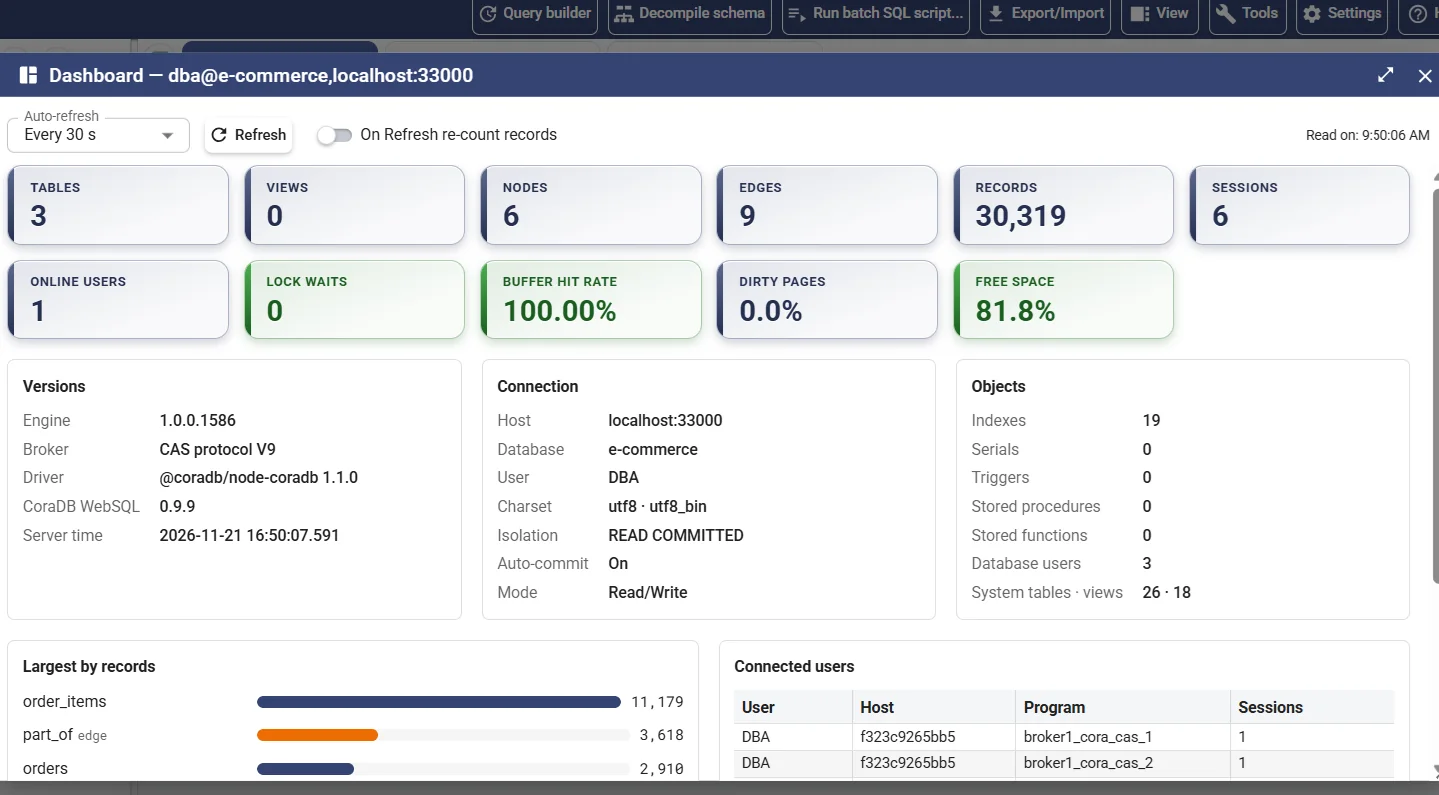
One screen with the state of the database: tables, nodes, edges, records, sessions, buffer hit rate, dirty pages and free space, plus versions, connection settings, object counts and the largest tables.
- Auto-refresh every few seconds
- Connected users and their sessions
- Largest objects by record count
Getting access
The online version of CoraDB WebSQL at websql.coradb.ai is available on request.
To get access, ask for it at contact@coradb.ai.
- Write to contact@coradb.ai with your name, your company and what you would like to try.
- We reply with your access details.
- Open the app in your browser and connect to your CoraDB database, or to one of the sample databases.