
CoraDB built-in app
Magos
The CoraDB database AI assistant.
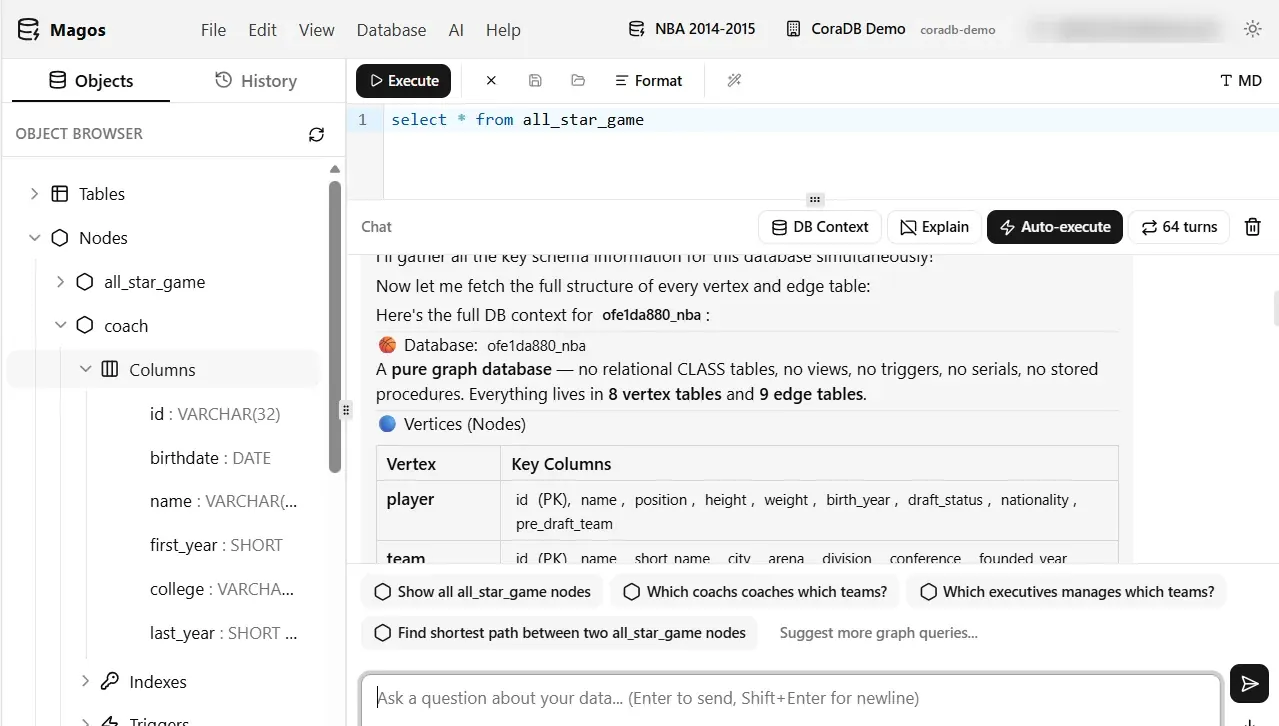
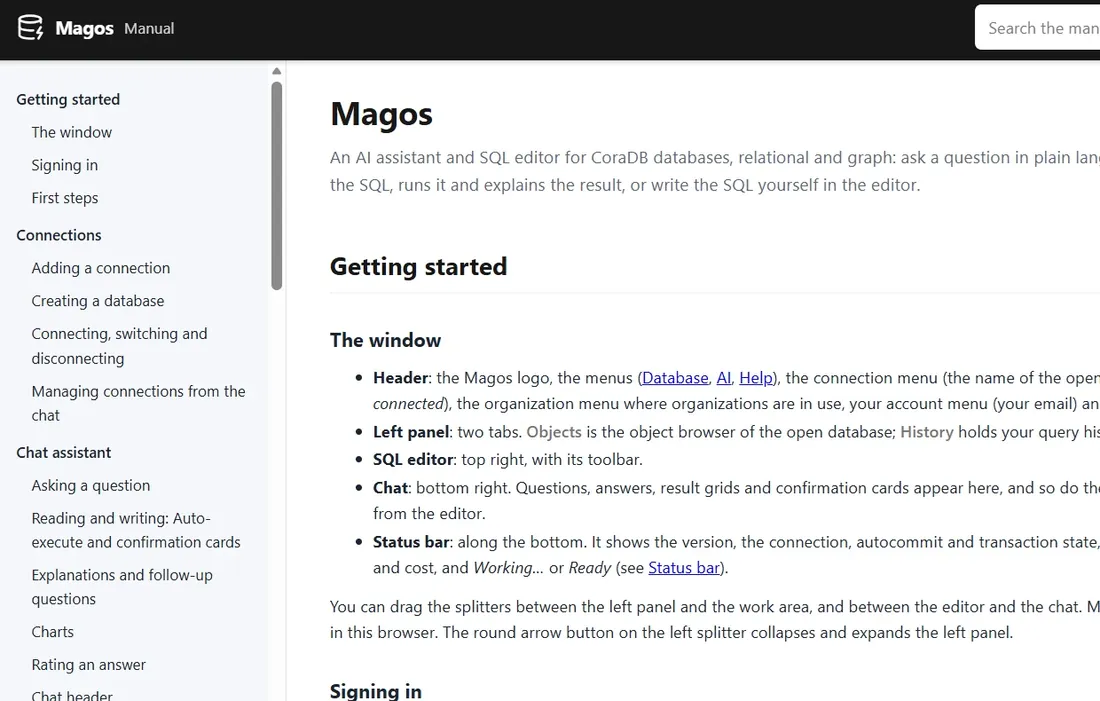
Magos is a browser-based workspace for CoraDB that brings together the tools of a classic database client — an object browser, a SQL editor and a results grid — with an AI assistant that understands natural language and the structure of the connected database.
Ask a question in plain language and get the query, the results and a short explanation in one place, or write SQL yourself, with the assistant close at hand when something goes wrong.
AI assistant
From a question to an answer.
The Magos AI assistant sits in a chat panel next to the editor and works with the live structure of the connected database.
From question to answer
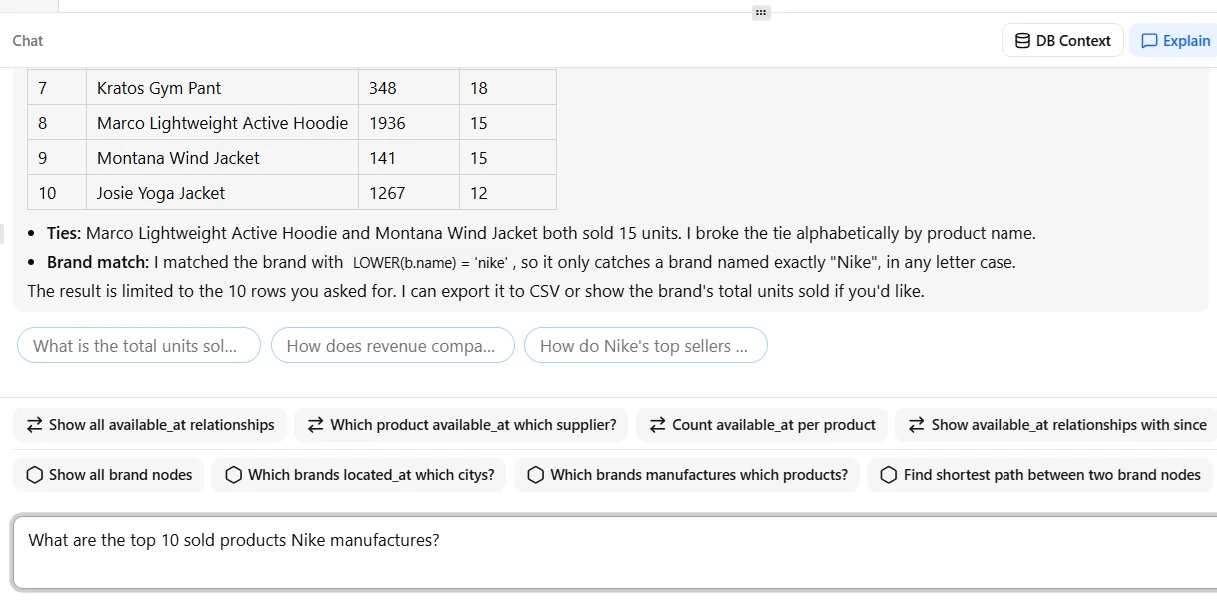
A question such as “which customers placed more than five orders last month?” becomes a query that runs straight away.
The results are presented with a short explanation of what they show and with smart suggested follow-up questions.
Knows the database
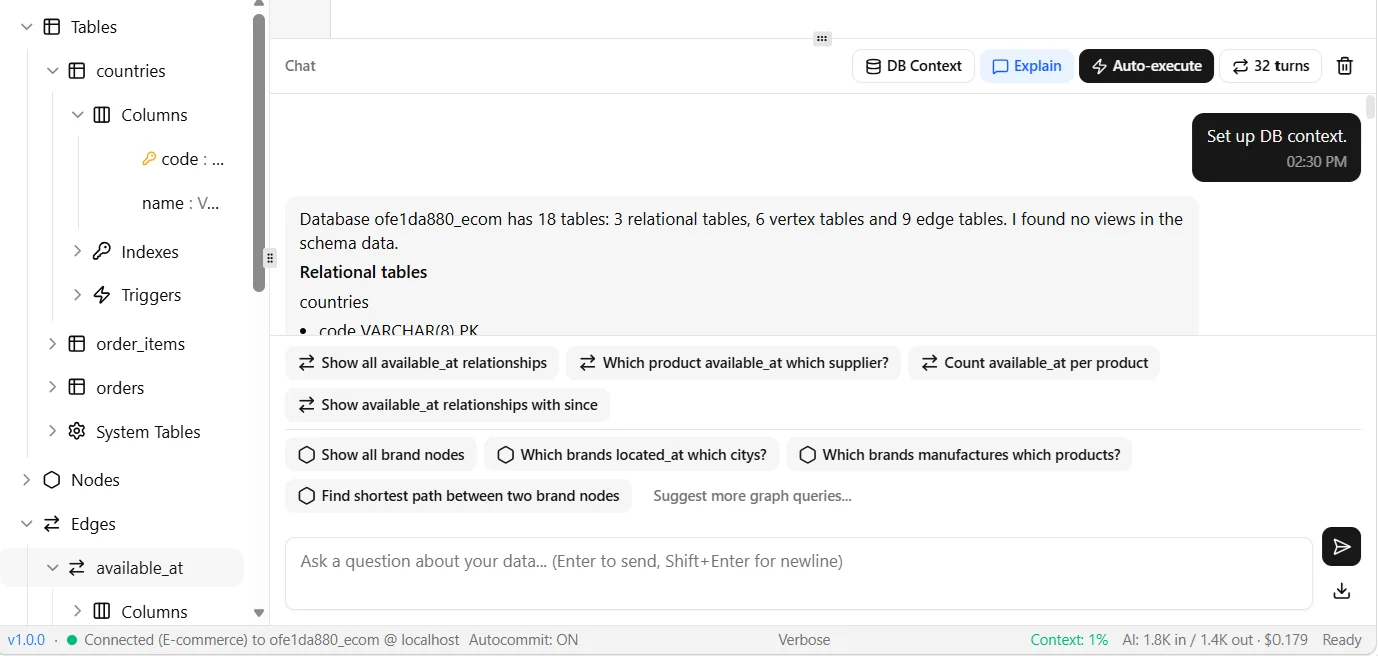
When a database is first connected, Magos builds a persistent description of what its tables and relationships mean, so later questions are answered in the language of your data.
- Relational tables, vertex and edge tables, views
- Suggested questions for every kind of object
Multi-agent
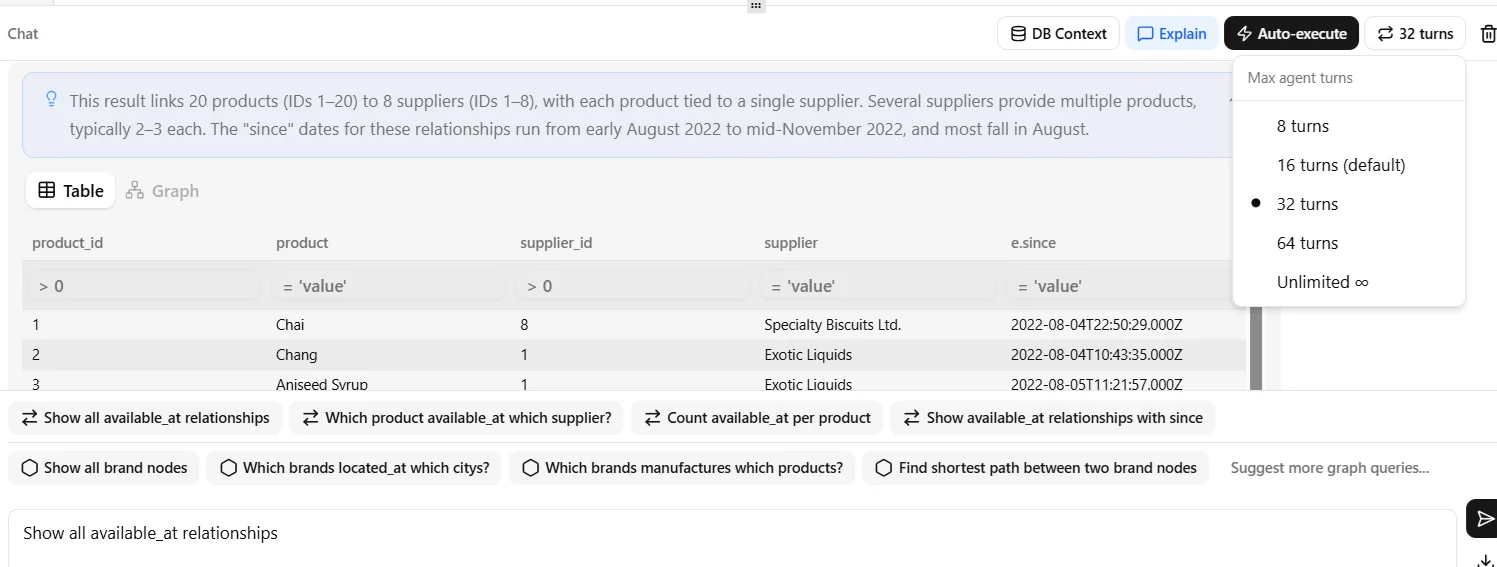
For multi-step requests, the assistant works through a set of tools: it inspects the schema, runs queries, looks up the CoraDB documentation, manages connections and transactions, and exports results.
- Explain mode and auto-execute
- Choose how many agent turns a request may take
- Results as a table or as a graph
Safe by design
Read queries can run automatically, while statements that change data or structure are shown as a preview first, and destructive ones ask for explicit confirmation.
Help when a query fails
The assistant explains the error in plain language and proposes a corrected query.
Your choice of AI
Magos supports an open choice of AI providers and models.
A complete SQL workspace, in the browser.
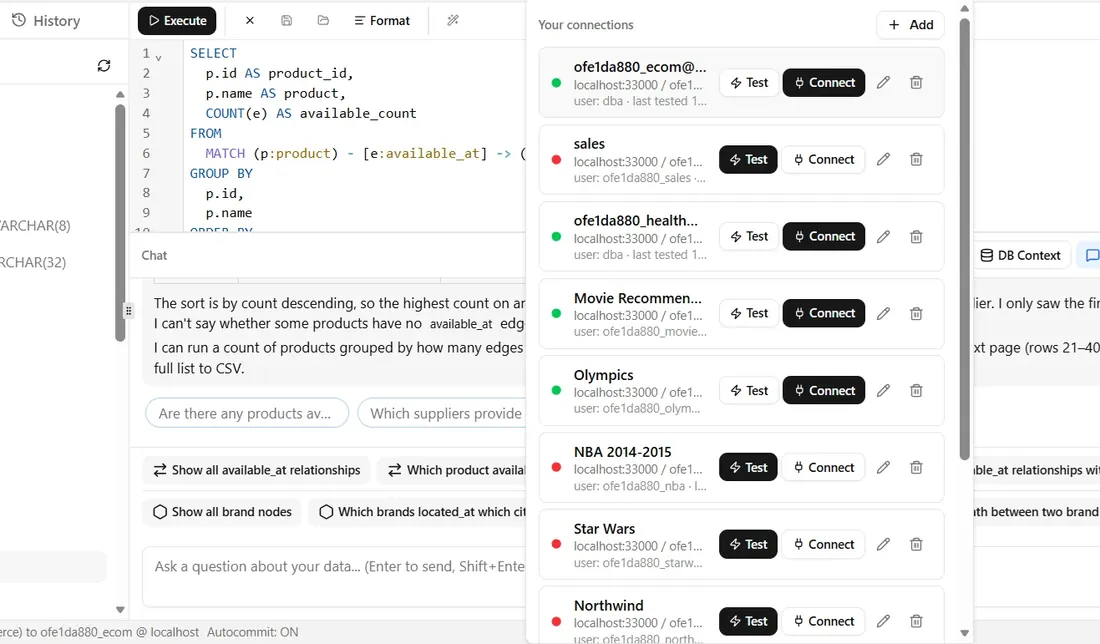
- Integrated object browser: tables, nodes, edges, views, serials, triggers, stored procedures and users, refreshed automatically after schema changes.
- Rich SQL editor: syntax highlighting, auto-completion, formatting, multi-statement scripts with a run report, and a one-click AI Quick-fix for failed queries.
- Results grid: pagination, sorting, per-column filters, total row count on demand and CSV export.
- Query history: every query is kept and can be searched, filtered, bookmarked, re-run or restored to the editor.
- Connections and transactions: several saved connection profiles with import and export, quick switching between databases, and a clear view of the transaction state.
- Users and administration: sign-in, organization invitations, an administration panel for users and the default AI model, and light and dark themes.
Getting access
Magos at app.magos.ai is available on request.
To get access, ask for it at contact@coradb.ai.
- Write to contact@coradb.ai with your name, your company and what you would like to try.
- We reply with your access details.
- Open Magos in your browser and connect to your CoraDB database or to one of the demo databases.